Connectors
A connector gives your agents a tool: an MCP server they can call, with your credentials for it. You connect a service once, in Settings → Connectors, and choose per workspace - or per agent - which connectors are available.
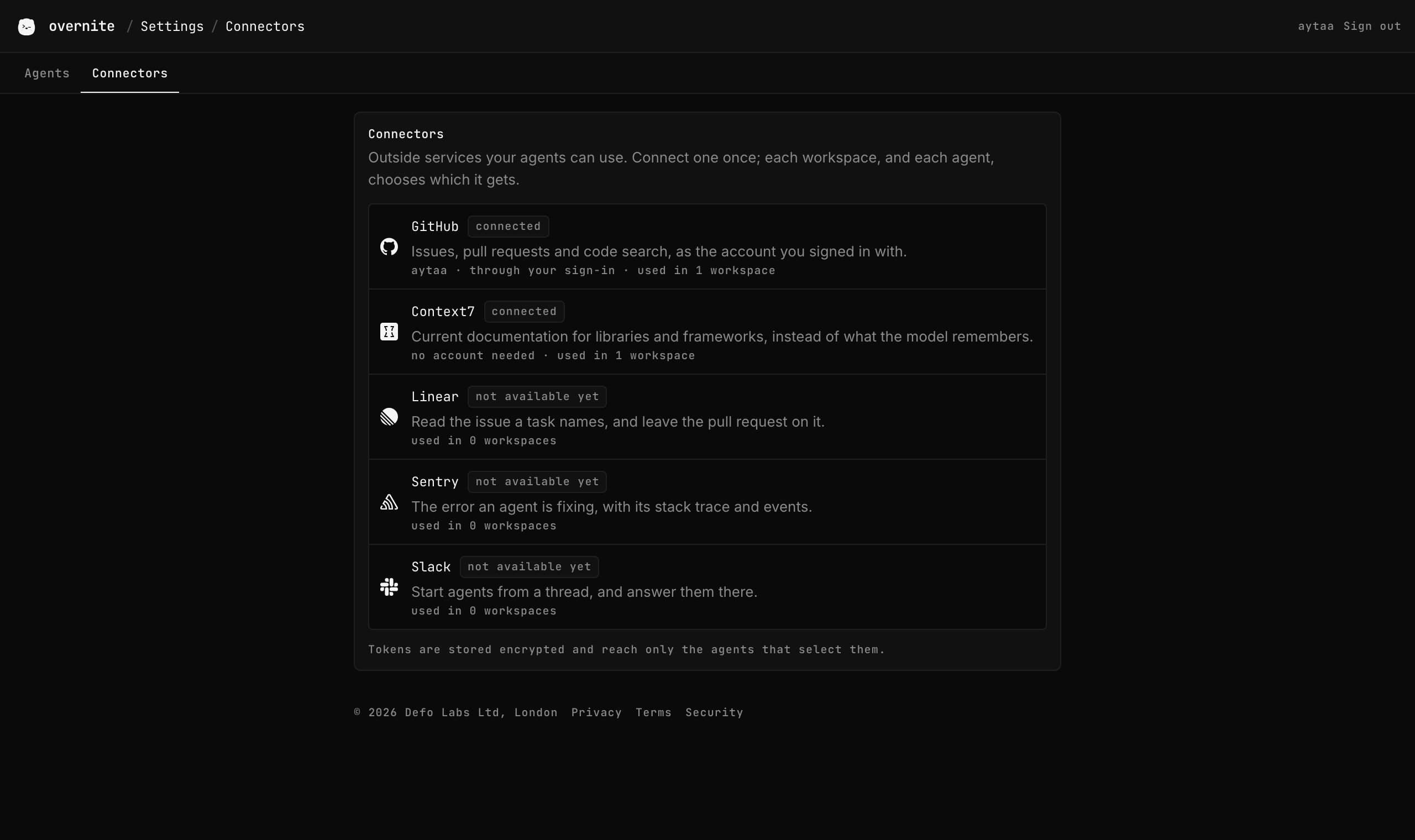
Available connectors
| Connector | What agents get | How it is connected | Status |
|---|---|---|---|
| GitHub | Issues, pull requests, reviews, code search - GitHub's MCP server | Your GitHub sign-in; nothing to do | Available |
| Context7 | Current documentation for the libraries in your code | Needs no account | Available |
| Linear | Issues and projects | OAuth | Coming soon |
| Sentry | Errors and their stack traces | OAuth | Coming soon |
| Slack | Start agents and answer them from a channel | OAuth | Coming soon |
New workspaces select GitHub and Context7 by default.
Choosing connectors
- Per workspace. The new workspace form lists connectors with a checkbox each; the selection applies to every agent started in that workspace.
- Per agent. The new agent form can override it for that one agent, and the agent keeps its own selection when it is resumed.
- A selected connector that is not connected is skipped - the agent starts without it - and works from the next agent start once it is connected.
Which agents use them
The connector is written into each agent's own MCP configuration before it starts:
| Agent | Configuration |
|---|---|
| Claude Code | ~/.claude.json, mcpServers |
| Codex | ~/.codex/config.toml, [mcp_servers.<name>] |
| opencode | ~/.config/opencode/opencode.json, mcp |
| Gemini CLI | not yet |
Only entries named after a connector are replaced; MCP servers you added to those files yourself are left alone. Claude Code asks before each MCP call, as it does for any tool, and the question reaches your phone.
Tokens
- A connector's token is stored encrypted and never returned by the API.
- It reaches an agent only in that agent's environment, as
CONNECTOR_<NAME>_TOKEN, when the agent starts. The configuration file names the variable; the token itself is never written to disk. - The GitHub connector uses the workspace's own token from the
GitHub App: one repository, one hour. An agent reads it when it
starts, so an agent running for more than an hour loses its GitHub connector
until it is restarted -
gitandghin its terminal keep working, because they read the refreshed token. - Disconnect (for OAuth connectors) deletes the stored token. Agents already running keep theirs until they stop.
Deselecting the GitHub connector removes the MCP server, not git access: the workspace still pushes with its token.